
Contents
- End of an era: Contao 4 is being retired
- Contao 5.7 at a glance
- Posts and videos about Contao 5.7
- For those switching versions
- Documentation
- Revised back end design
- Back end search with facets
- Job framework: background processes at a glance
- Twig: all templates completely converted
- Template Studio
- ALTCHA: New floating mode
- Row wizard now in Core
- DCA permissions at table level
- Block newsletter recipients
- New JSON storage for virtual DCA fields
- Further improvements
- Diligent work and maintenance of the code base
- Update to Contao 5.7
- trakked is compatible with Contao 5.7
- Contao 5.7 is a great new LTS version
- Presentation of Contao 5.7 in Zurich
End of an era: Contao 4 is being retired
Thank you, Contao 4, it's been a pleasure working with you! With the release of Contao 5.7, support for the last 4.x version has finally come to an end. So if you are still running old projects on Contao 4.13, it is high time for an update. Would you like to know what you need to bear in mind when updating from Contao 4 to 5?
Read the instructions: Updating from Contao 4.13 to Contao 5.3.
Contao 5.7 at a glance
- Release: February 2026
- LTS support: until 2030
- PHP: 8.3+
- Symfony: 7.4 LTS
- Doctrine DBAL: 3 and 4
- Doctrine ORM: 2 and 3
- Changelog for Contao 5.7
- Changelog for Contao 5.7 (trakked)
Posts and videos about Contao 5.7
For those switching versions
If you are upgrading directly from 5.3 to 5.7, you may also be interested in the many new features in the previous versions:
Contao 5.4
- Official Contao 5.4 announcement (contao.org)
- Video about the new features in Contao 5.4 (YouTube)
- Post on trakked about Contao 5.4
- Changelog for Contao 5.4 (GitHub)
Contao 5.5
- Official Contao 5.5 announcement (contao.org)
- Video about the new features in Contao 5.5 (YouTube)
- Post on trakked about Contao 5.5
- Changelog for Contao 5.5 (GitHub)
Contao 5.6
- Official Contao 5.6 announcement (contao.org)
- Video about the new features in Contao 5.6 (YouTube)
- Post on trakked about Contao 5.6
- Changelog for Contao 5.6 (GitHub)
All new features at a glance
Documentation
The documentation team has done a great job here too, and most of the new features are already described in the official Contao manual.
Revised back end design
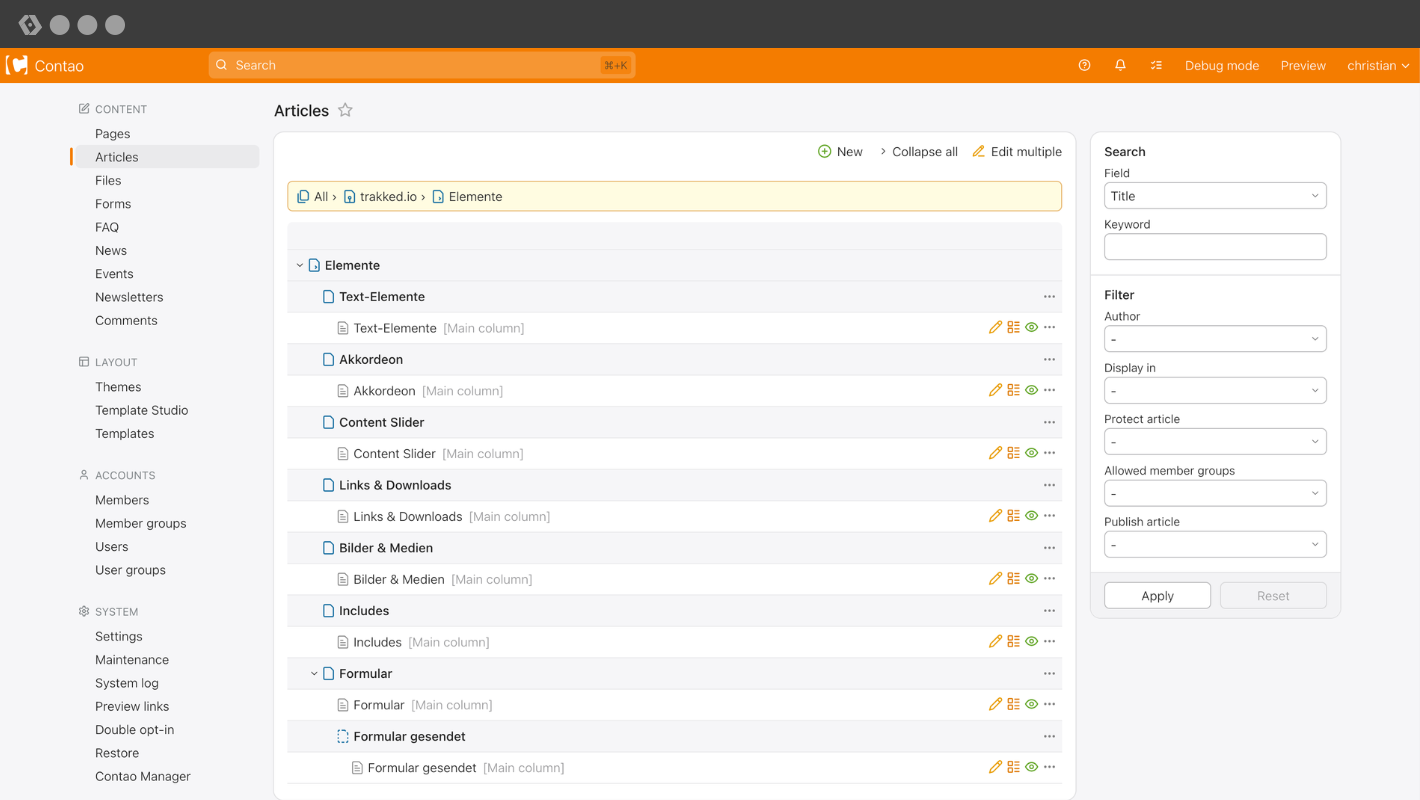
The new design immediately catches the eye. The dark sidebar has been removed and the entire layout appears much more spacious and modern.
Filter and layout
The filter menu has been moved from the top to the right. This moves the content further up and makes better use of space on large screens.
Missed and now back: by popular demand, the maximum container width can be limited again. In your profile, you can choose between unlimited, 1280 px, 1440 px and 1920 px. This was frequently criticised by the community and has now been reimplemented in Contao 5.7.
Improved breadcrumb navigation
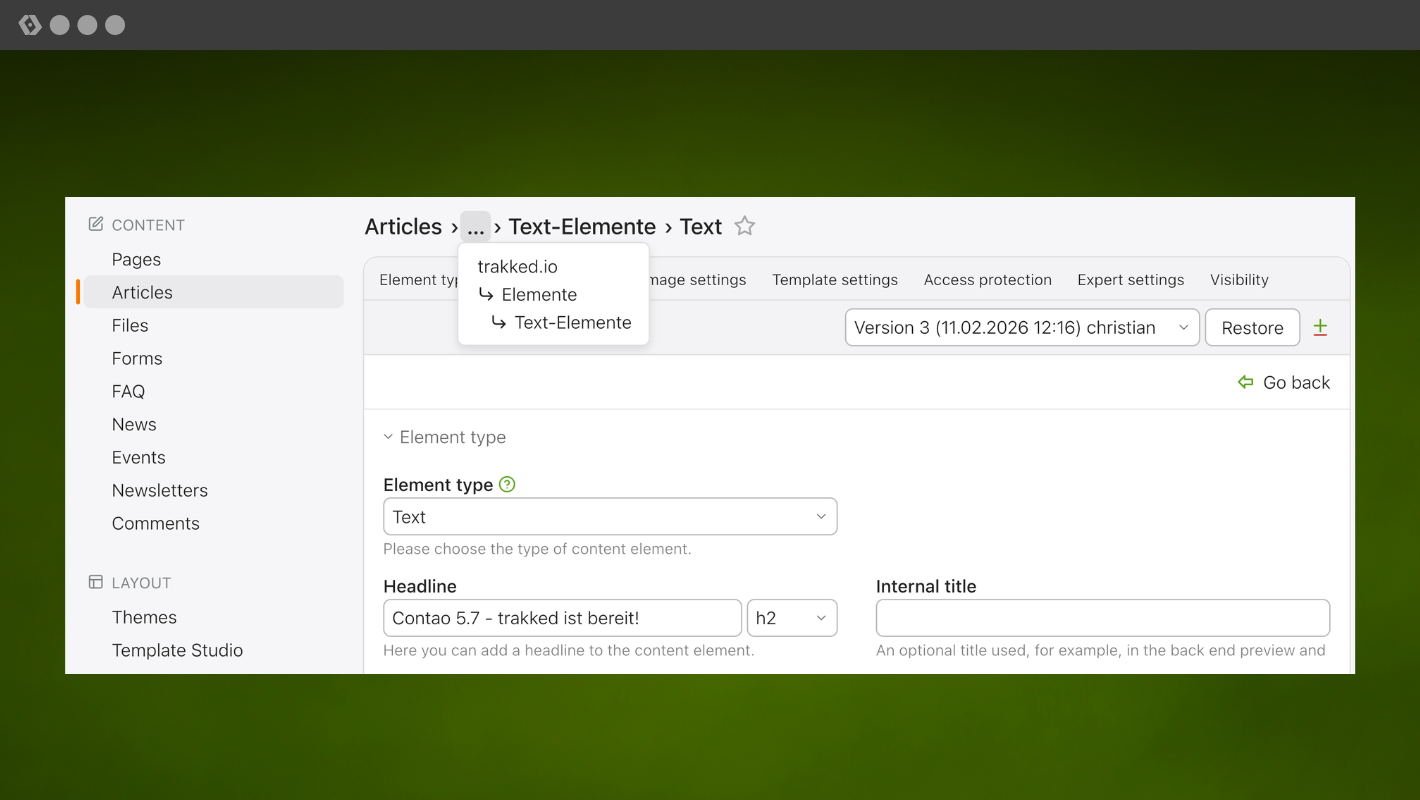
The new breadcrumb navigation finally provides much greater transparency when editing content. Previously, generic article names such as "Right column" made it difficult to understand the context you were currently in – i.e. on which page, in which part of the page tree.
This has now changed fundamentally: the breadcrumbs clearly show where you are within the hierarchical structure at all times.
This also allows for faster navigation without having to laboriously click back step by step. Another particularly practical feature is the ability to switch comfortably between elements on the same level.
The result: better orientation, fewer clicks and a significantly more efficient workflow. A real UX boost!
Consistent back button
The back button now behaves consistently and always navigates back one level. From a content element within a news item, you can go directly back to the news archive, and from there to the news archive overview. Even with multiple tabs open, the back button now reliably navigates to the previous level.
No more seemingly random navigation and inexplicable jumps to random pages: navigation in the back end is now clear, comprehensible and deterministic.
Favourites and Jump List
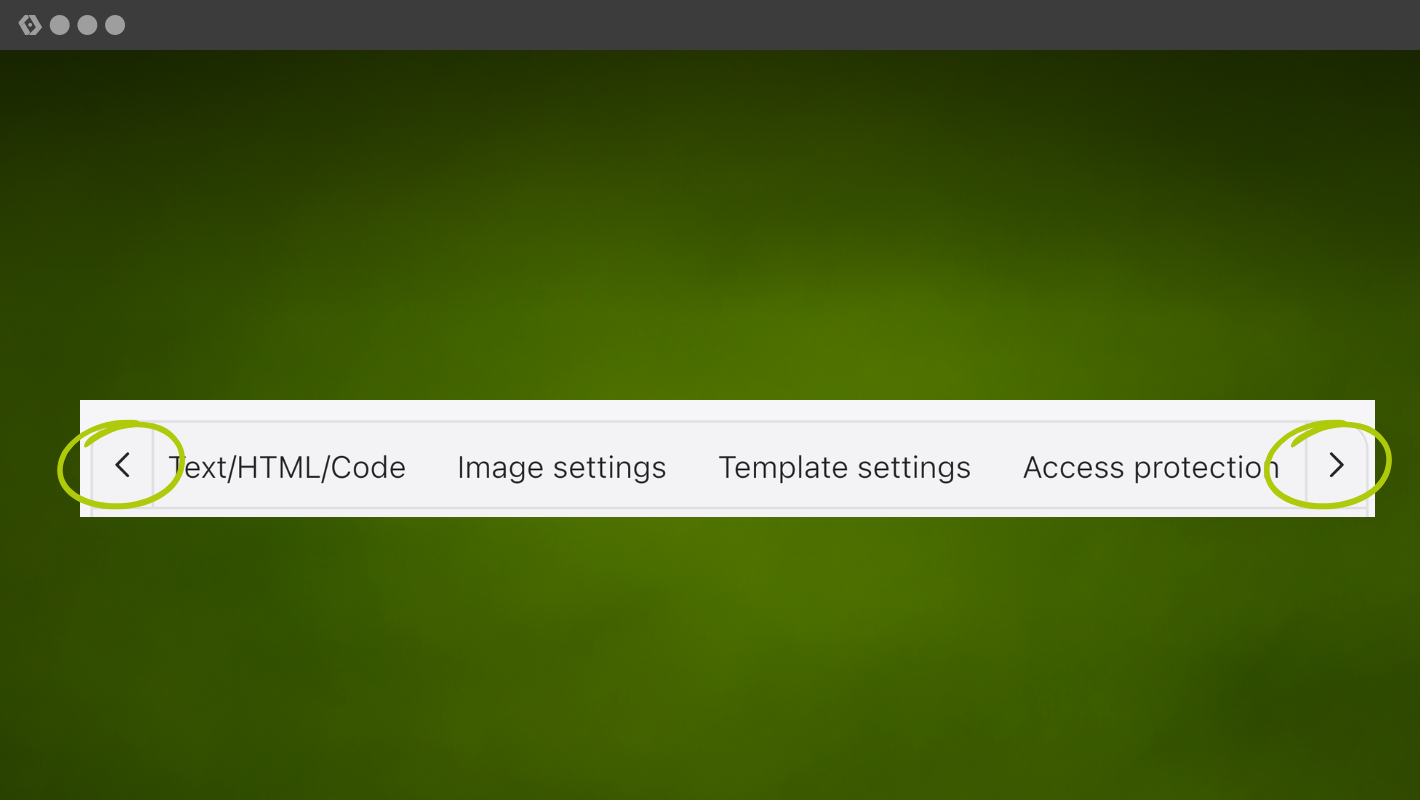
The star icon for favourites can now be found directly at the end of the breadcrumb trail. The jump list now has buttons for scrolling left and right, which makes navigation much easier when there are many entries.
New position for light and dark mode
The light and dark mode function has been available since Contao 5.1, but has been moved to the user menu for clarity and space reasons.
Back end search with facets
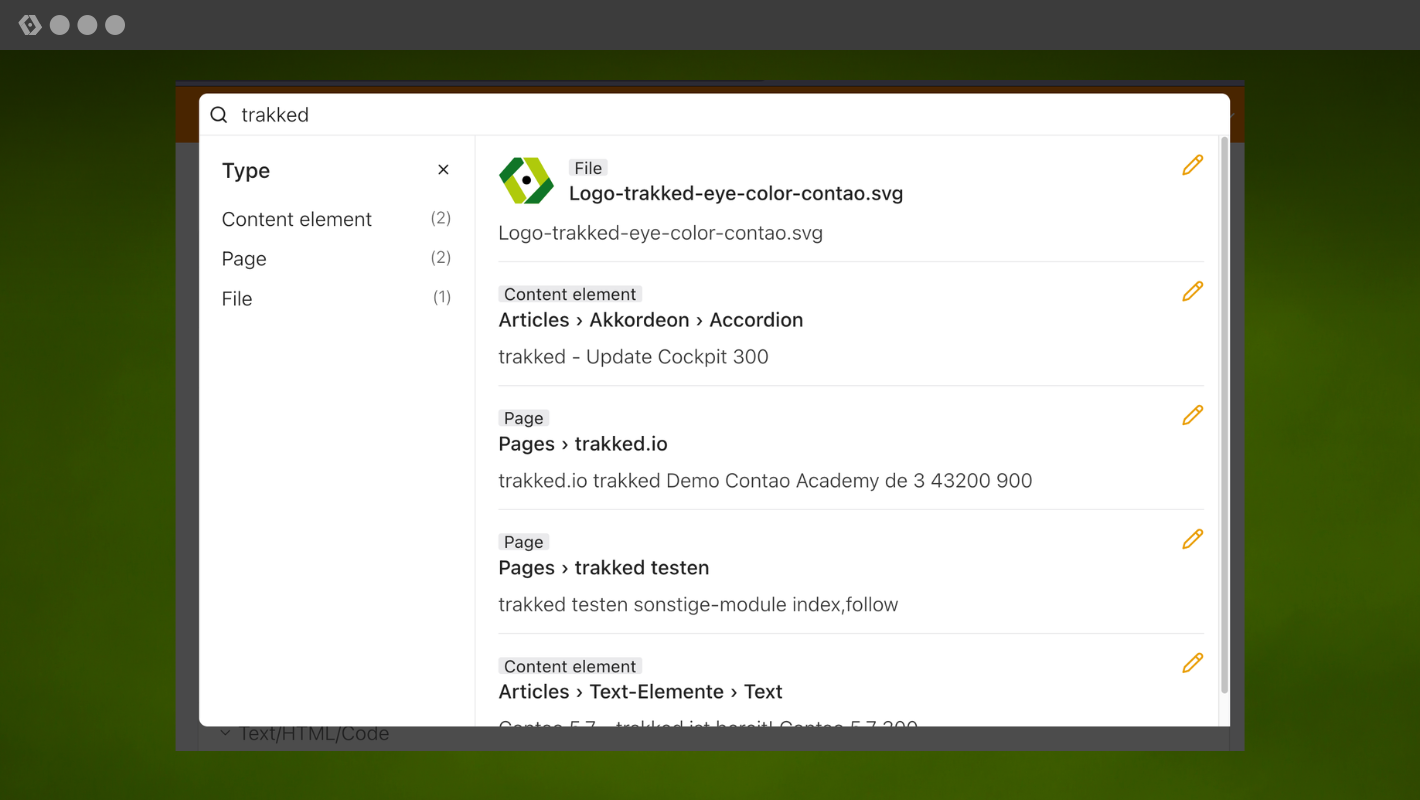
The back end search has been significantly improved once again. Search results are now grouped by type. This allows you to filter by files, news, articles, content elements, etc. This makes finding content easier and clearer. With the new keyboard shortcut Ctrl+K (Windows) or ⌘+K (Mac), you can now open the search in a flash using your keyboard.
Job framework: background processes at a glance
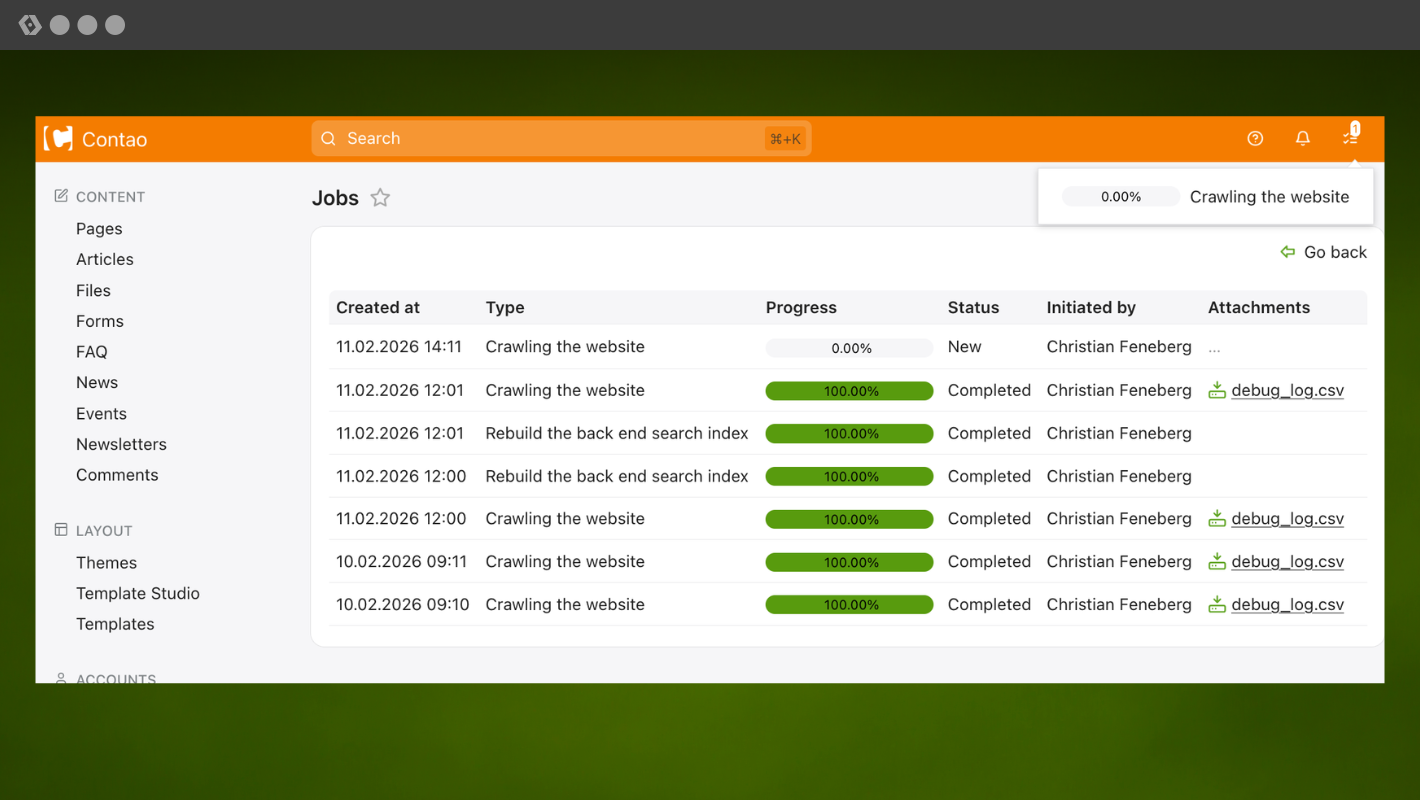
The job framework already introduced in Contao 5.6 has been significantly expanded. The progress of ongoing processes is now directly visible throughout the back end and on the job list. Developers can add attachments such as logs or reports to jobs. In addition, the previous crawler implementation for indexing the search index has been completely rebuilt on the job framework.
The job framework now offers the option of processing your own tasks asynchronously, which is particularly useful for development. The basis is in place and opens up completely new possibilities for Contao.
This means less maintenance work in the future and a uniform user interface for all background processes.
Incidentally, Yanick has also made improvements to the cron job supervisor in the background. Not all hosts offer access to the standard ps tool for displaying running processes. As a fallback, a solution using PHP's flock() function has been implemented. This enables the job framework and crons to run even on previously incompatible hosts such as e.g. All-Inkl.
Twig: all templates completely converted
A big step towards the future: All remaining templates now have a corresponding Twig counterpart. This makes Twig the new standard and replaces the previous HTML5 templates. Under Contao 5.7, the old HTML5 templates are still available as a fallback for the transition period. From Contao 6 onwards, support for them will be removed permanently.
Good to know: The previous frontend layout via fe_page without slots will remain available in Contao 6 as fe_page.html.twig and can still be used.
Moritz and Katrin Zimmermann have also started to move the HTML code from DC_Table to Twig templates. This now ensures a clean separation of code and templates.
Template Studio
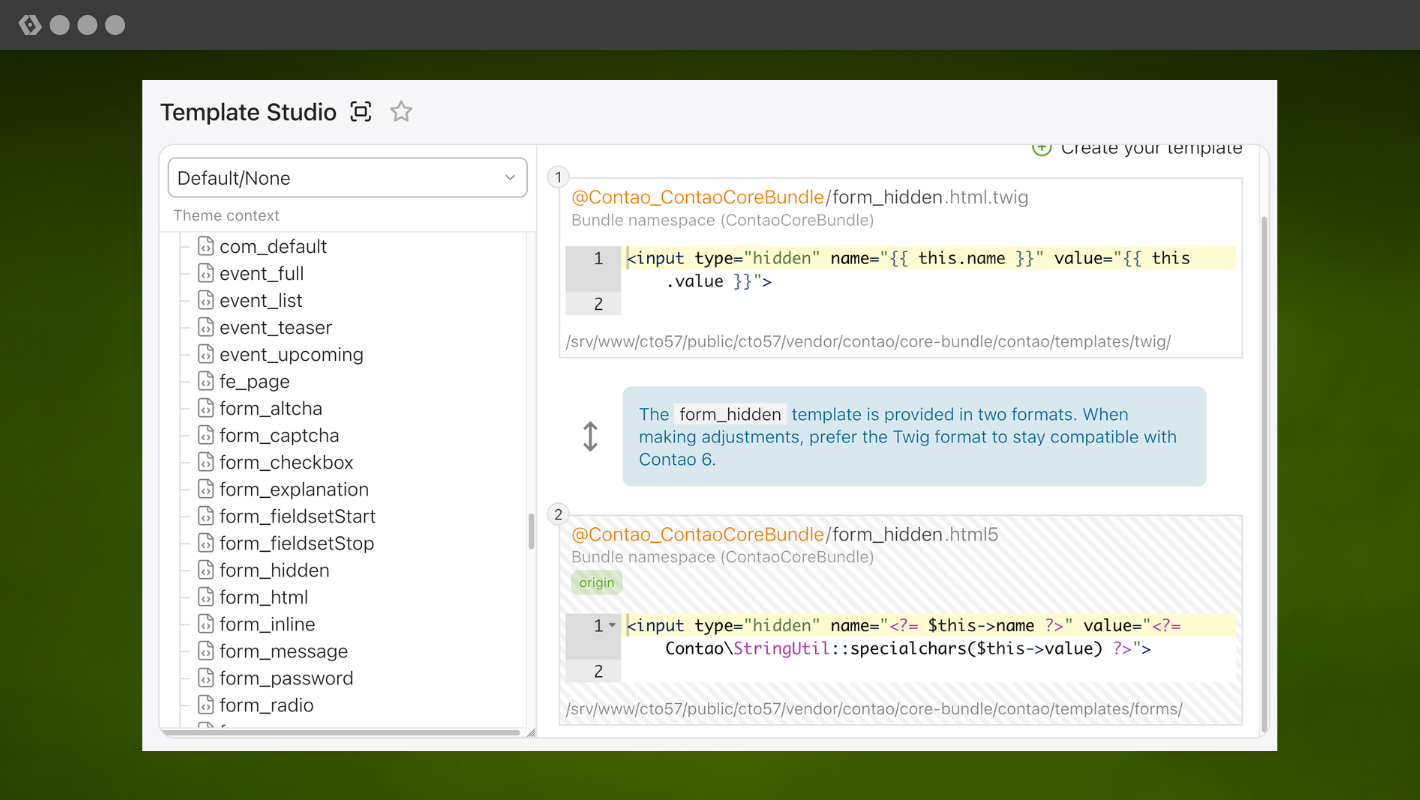
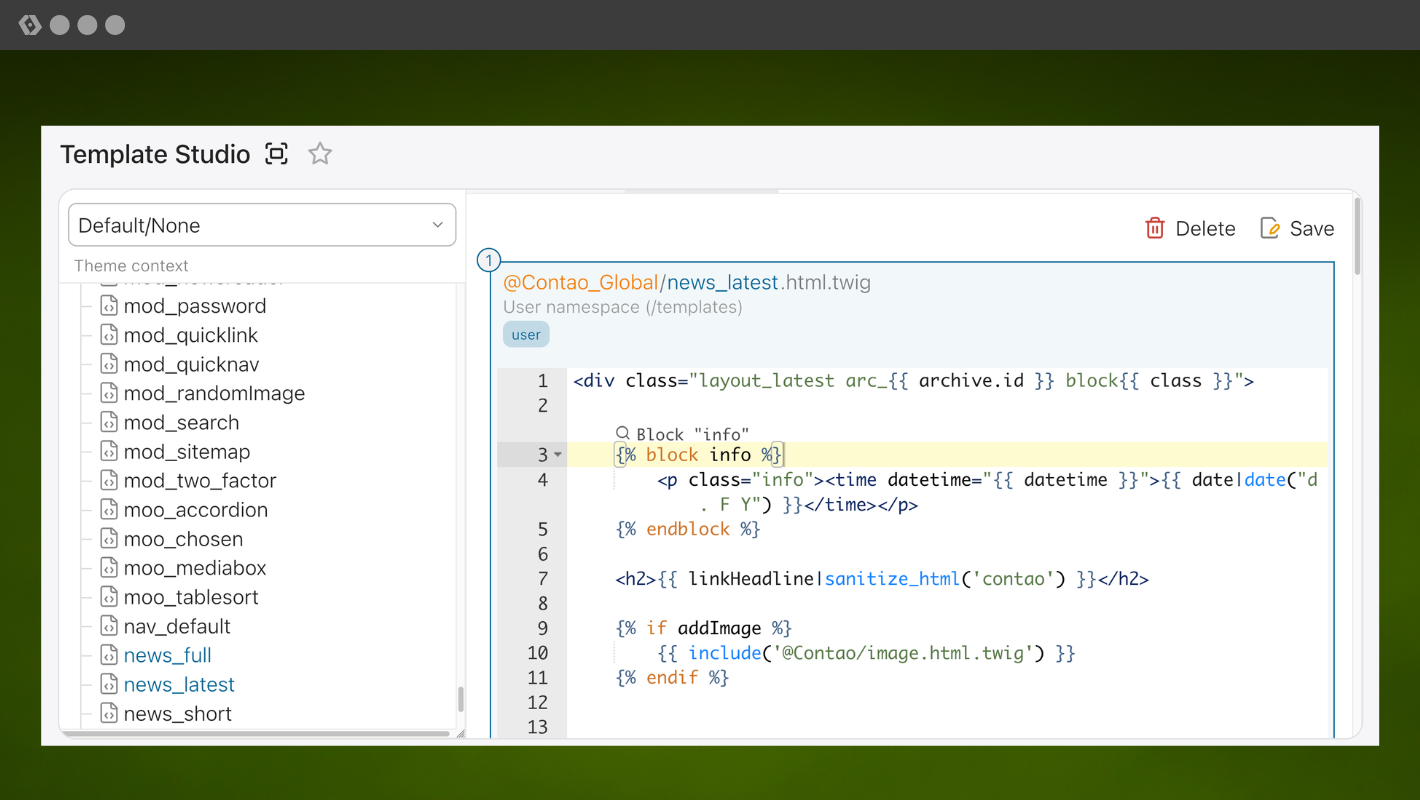
The Template Studio has received several UX improvements. New features include auto-completion of Contao-specific filters, full-screen mode and a search function. It now also displays the contents of the old .html5 templates.
Further improvements:
- Tabs can be closed with a middle click.
- Grouping of templates in the sidebar optimised.
- Display of both formats: Twig templates and HTML5, if available.
- Better cache invalidation.
ALTCHA: New floating mode
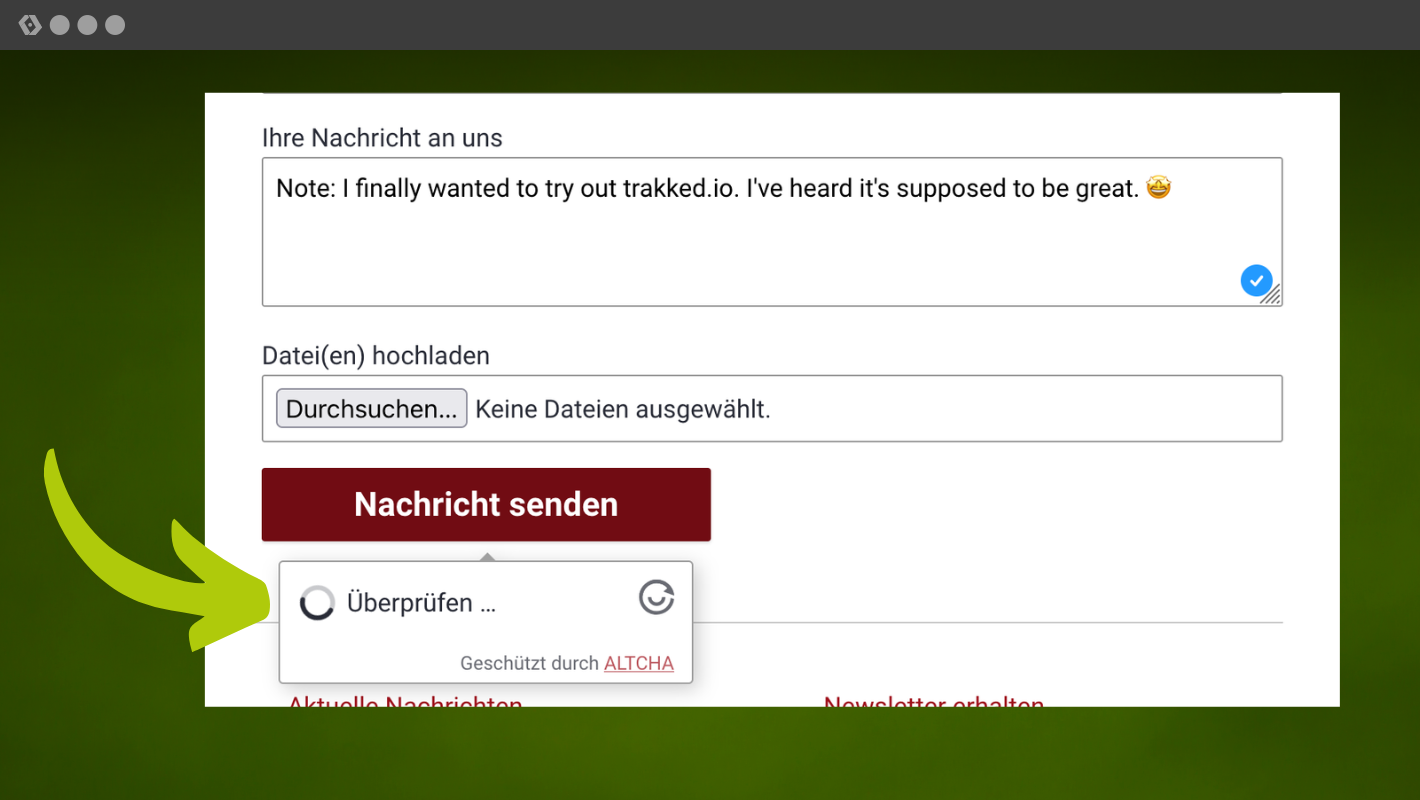
The ALTCHA spam protection now also has a floating mode, which can be conveniently activated via a checkbox in the form generator. The widget is not initially visible in the form and only appears when you click on "Submit". This ensures a tidy form design.
Row wizard now in Core
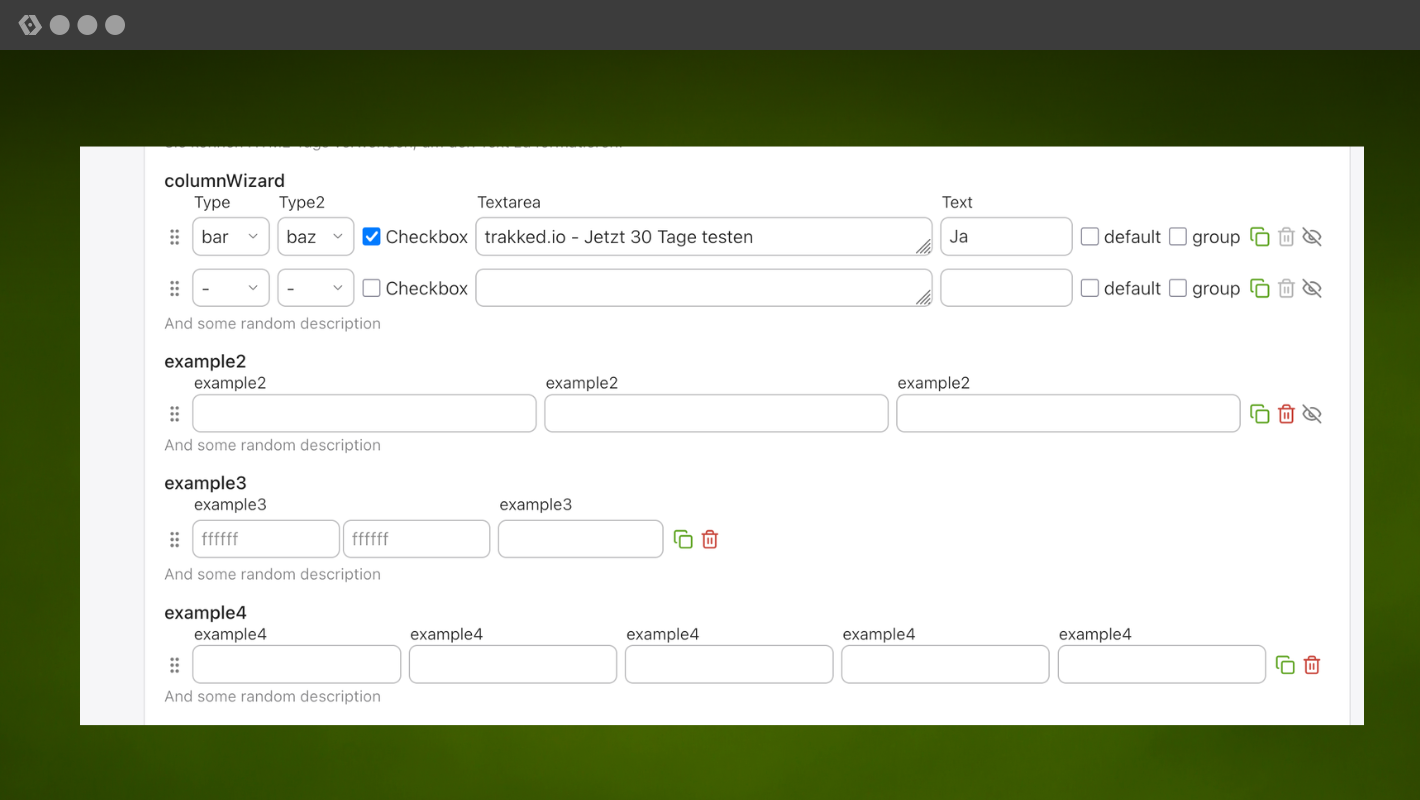
Contao now comes with its own Row Wizard, directly in the core and actively maintained. The function is based on the popular community extension "Multi-Column Wizard". The DCA configuration of the new Core Row Wizard is largely compatible with the Multi-Column Wizard, so that the switch usually works without any problems.
DCA permissions at table level
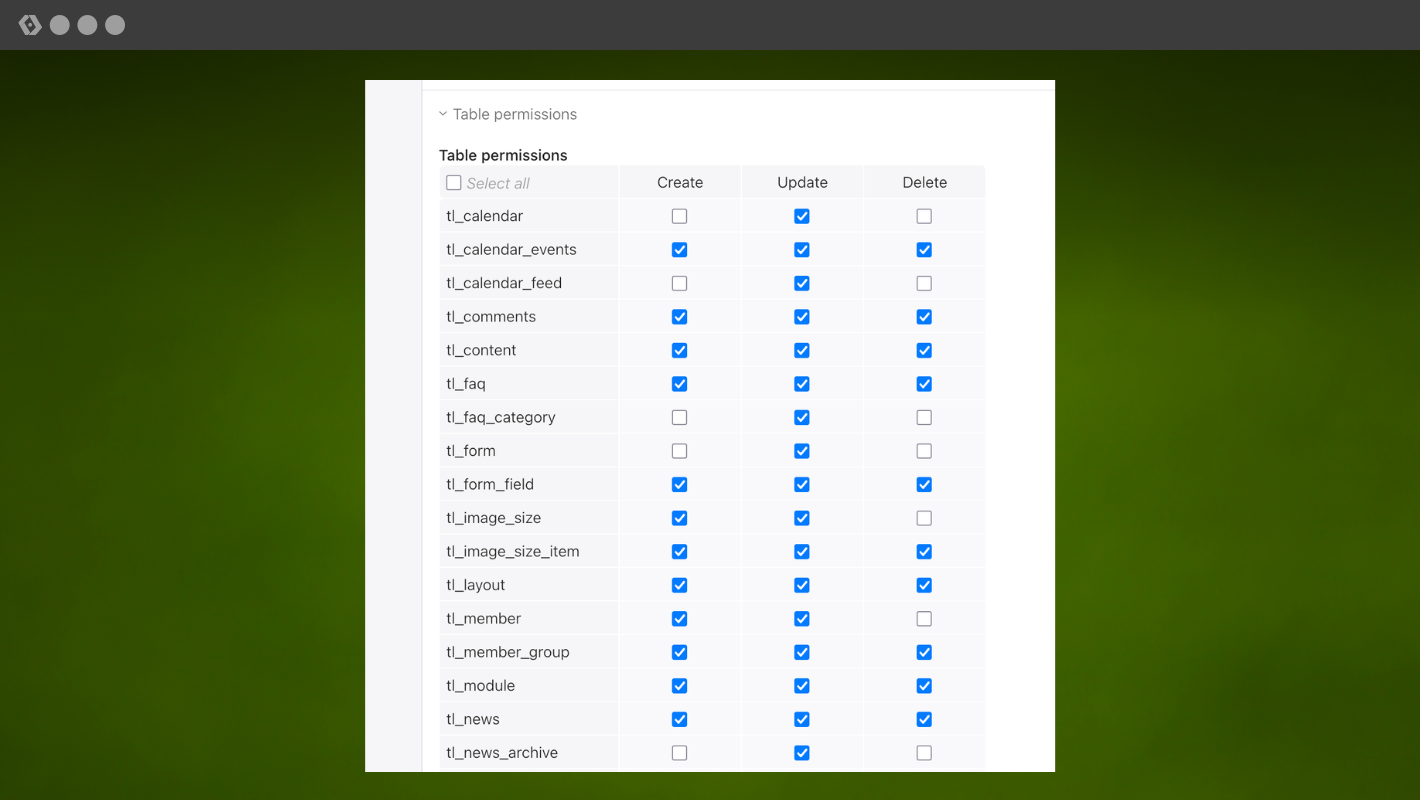
With the new DCA permissions, you can specify exactly which rights (create, edit, delete) a user has per table. This gives you even more control over access rights in your projects. Articles and pages are excluded; these continue to be controlled via the settings in the page structure.
In addition, access rights that could previously only be assigned in the user or group settings can now also be assigned directly to the element. This means that non-admins who do not have access to the group settings can still assign rights for e.g. newly created news archives.
Block newsletter recipients
Individual newsletter recipients can now be blocked manually. This prevents these addresses from being added to the list again. This is particularly helpful during import, as blocked entries are not accidentally imported again.
New JSON storage for virtual DCA fields
Another key feature in 5.7 is the new JSON storage for DCA fields without SQL definition. This means that fields can now be created without their own database column and stored all combined in a separate JSON column.
This is particularly important because we are slowly migrating away from front end modules towards content elements only in the long term. This migration is already underway – some functions now exist exclusively as content elements, e.g. passkeys for logging in to the front end.
The disadvantage of this development is that even more content elements mean significantly more configuration options – and thus more and more database columns in tl_content. However, additional columns in the table are not an option in the long term, as sooner or later you will reach technical database limits (keyword: row size).
To solve this problem cleanly, a technical basis for virtual fields was necessary: DCA fields that behave like normal fields for developers, but are no longer stored in separate columns, but structured in a single JSON column.
After several attempts, 5.7 finally delivers this long-awaited solution – and thus creates the foundation for implementing the migration of front end modules to content elements in a sustainable and scalable manner. For developers, this feature is therefore a real game changer!
Further improvements
In addition to the major features, there are many other minor improvements that make everyday life easier:
- YouTube: New mute parameter available
- File upload: The file upload field in the form generator now allows multiple files to be uploaded
- Symfony Form Type: A new
AbstractContaoTypeclass and a Twig template have been added for the integration of Symfony Forms
Diligent work and maintenance of the code base
In addition to the new features, numerous optimisations have been made to the code and bugs have been fixed. You can find a complete list in the blog post about the release of Contao 5.7.0.
Update to Contao 5.7
You can update directly from the LATEST Contao 4.13 to 5.7; an intermediate step via 5.3 is not necessary. As always, you should create a complete backup (database and data on the server) before updating. You must also check whether all extensions used are already compatible with the new version. The same applies to themes. If everything is in order, there is nothing standing in the way of the update and you can carry it out as usual via the Contao Manager. To do this, change the version requirement from Contao to 5.7.*.
trakked is compatible with Contao 5.7
As usual, all trakked features are also available for Contao 5.7. A new manager version was released at the same time as the new Contao version, which has already been automatically updated for trakked customers.
A little tip to finish with: updating to a new LTS version is the perfect time to sign a maintenance contract with your customers.
Contao 5.7 is a great new LTS version
Those switching from Contao 5.3 in particular will benefit from a wide range of improvements.
For the trakked team, one thing is certain: Contao 5.7 is not just a worthy LTS successor. Contao 5.7 is a whole new dimension! The update is worth it! We promise!
Presentation of Contao 5.7 in Zurich
Yanick, trakked and Core developer, will introduce you to the features of Contao 5.7, point out any potential stumbling blocks when updating, and take a look into the future.
About Contao 5.7 LTS
The first stable version of Contao 5.7 has been released on February 18, 2026, replacing Contao 5.3 as the long term support version. As an LTS version, 5.7 will be provided with bug fixes until February 14, 2029 and security-related updates until February 14, 2030. Contao 6.3 is the next LTS version of Contao and is due to be released in February 2028, ensuring a smooth transition.




Add a comment