
That's how it was until now
In the installation view, your installations were always sorted from A to Z by name. In the update view, trakked sorted them based on the last update of the installation. That was practical, but not flexible. That is exactly what we have now changed.
The new feature in detail
In the navigation bar, you will find an additional icon to the right of the menu item. Clicking on it opens the sorting options.
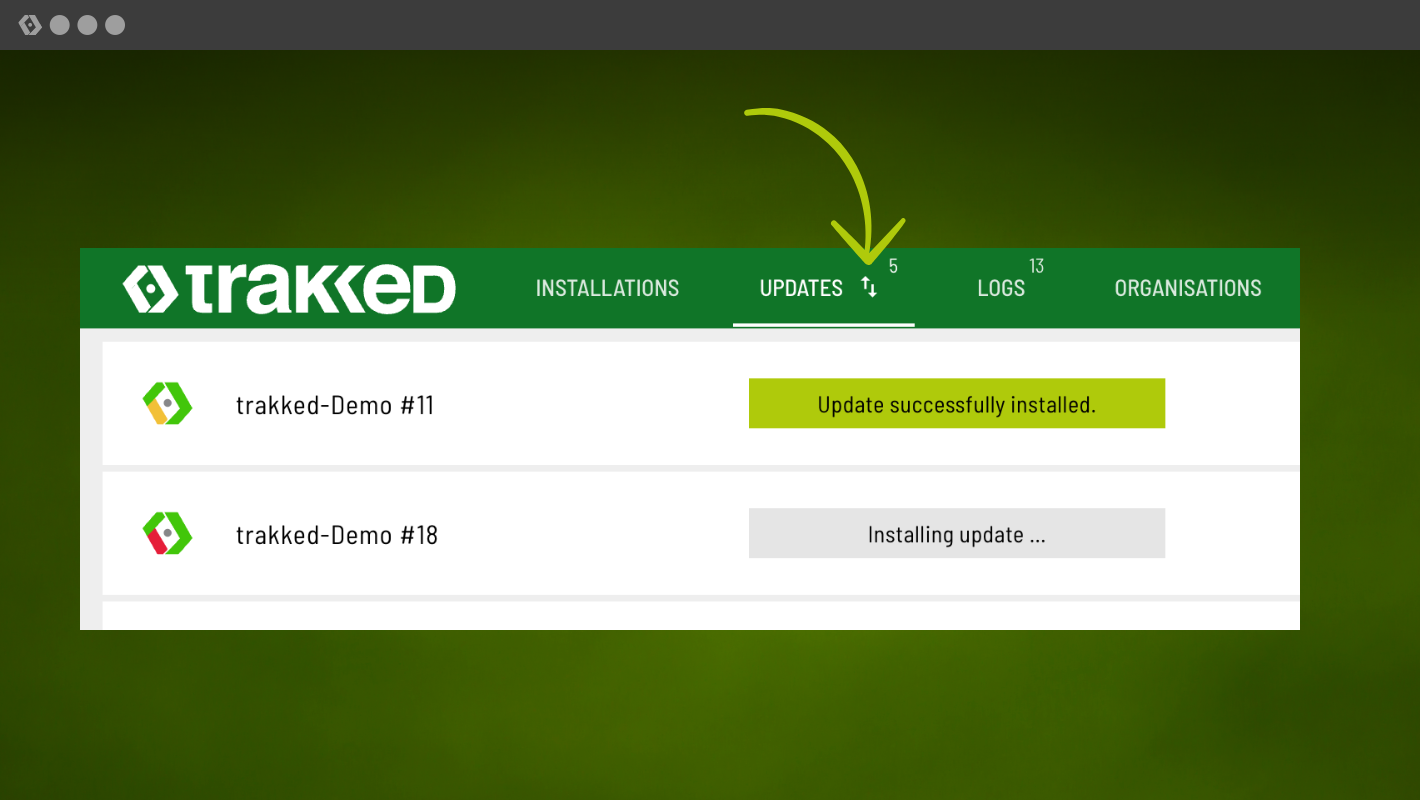
Sorting for installations and updates
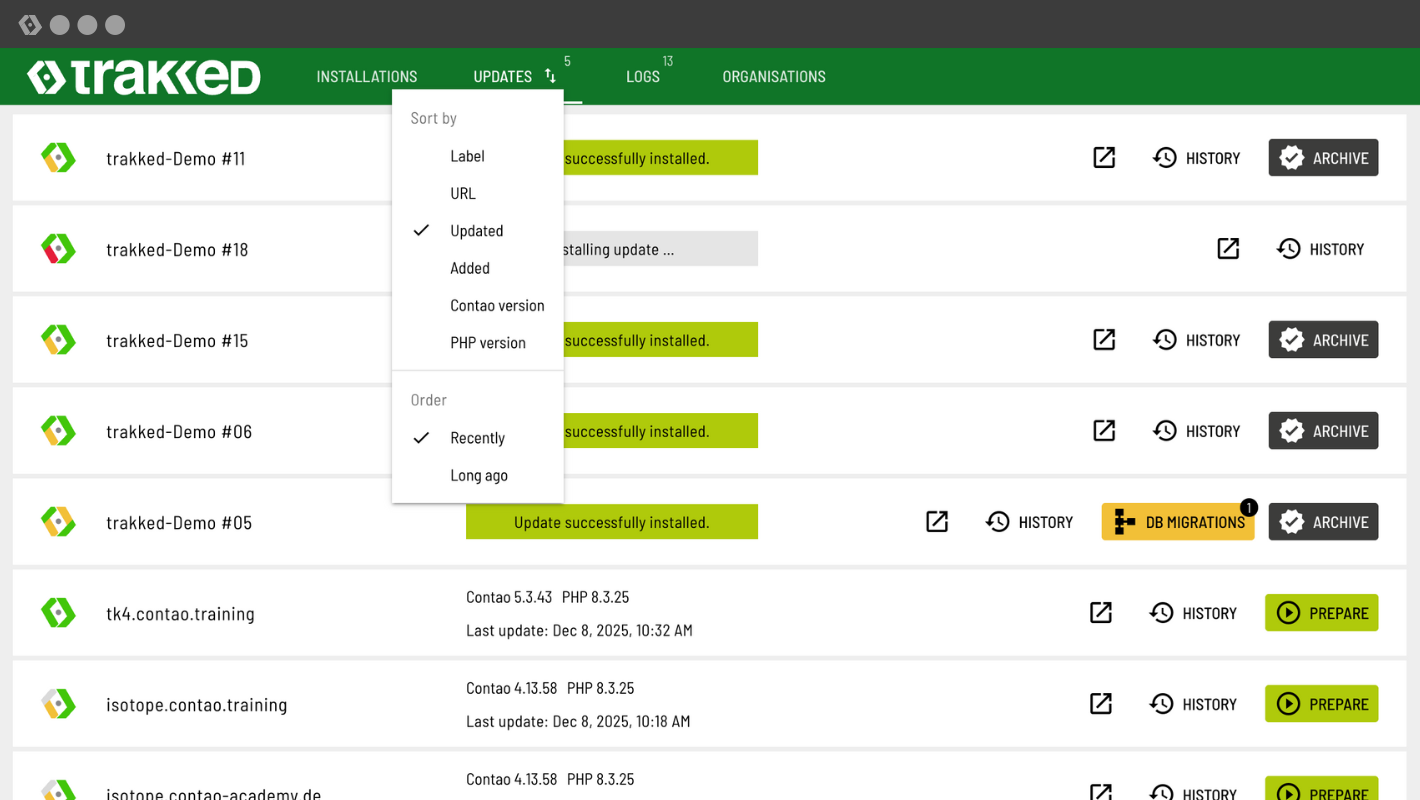
You can now sort by the following fields:
- Label
- URL
- Updated
- Added
- Contao version
- PHP version
The practical thing is that the order adapts to the context. For text fields such as "Label" or "URL", you can sort in ascending (A-Z) or descending (Z-A) order. For date fields such as "Updated" or "Added", you can choose between "Recently" and "Long ago".
The selected sorting order remains saved. Even after reloading, you will see your installations in the desired order.
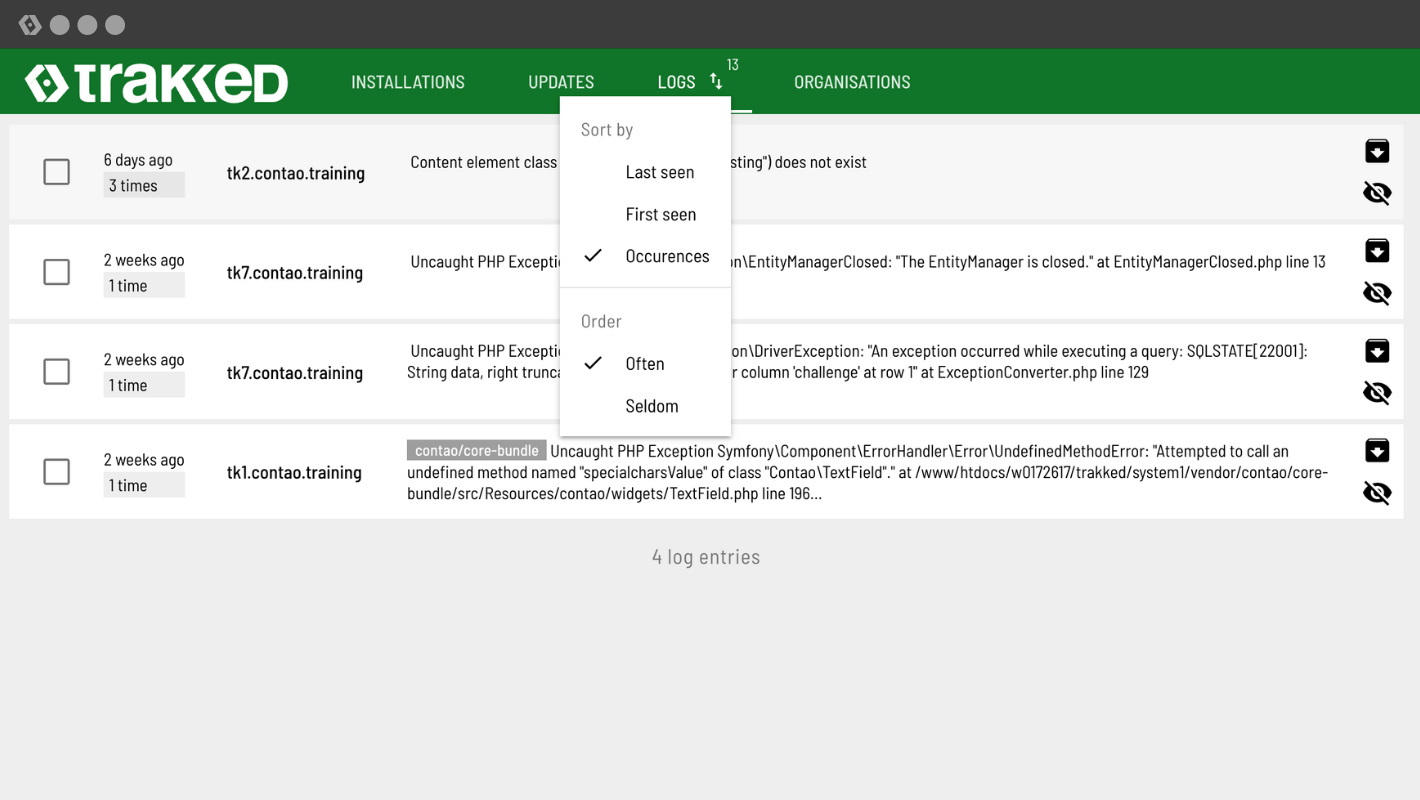
Sorting the logs
The same sorting as for installations does not make sense for the log viewer. That is why we have defined different fields here:
- Last seen
- First seen
- Occurrences
The order will also change here to match the sorting. And, of course, your selection will remain saved.
We have also prepared a short video that shows you how the sorting function works.
Log in to trakked and try out the new sorting feature. We look forward to your feedback. If you find that a sorting option is missing, please let us know.
Further optimisations
In addition to sorting, we have made further improvements to trakked.
New keyboard shortcuts
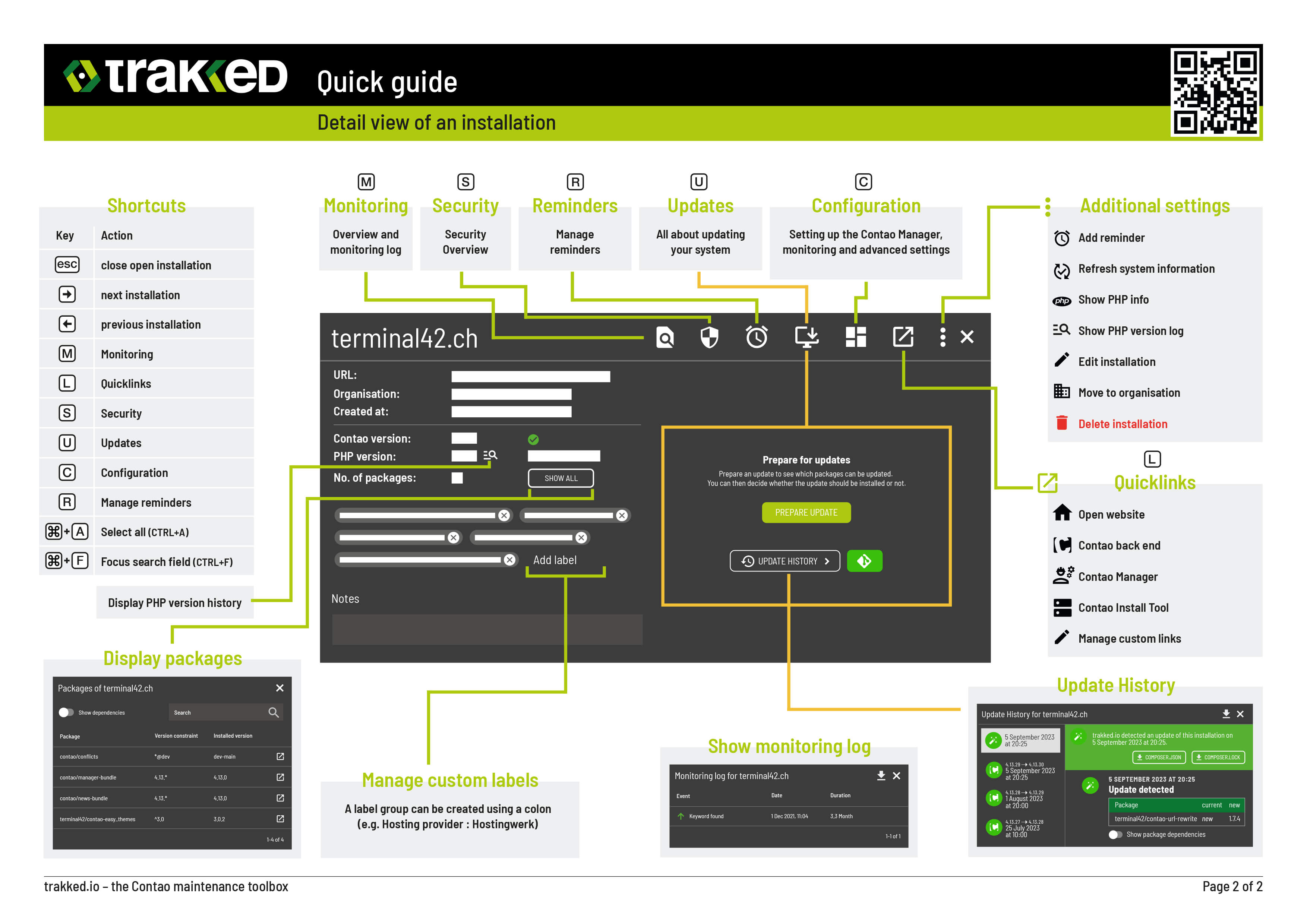
It is now possible to select all entries at once. Depending on your operating system, you can use different keys: Windows Ctrl+A or Mac Cmd+A.
In addition to "Select All", you can focus on the search field with Ctrl+F or Cmd+F. Pressing it a second time will activate the standard browser behaviour.
Reset individual filter groups
Next to each group, you will now find a small X. This allows you to quickly reset individual group filters. Other filters remain in place.

Even more stable updates
Under certain circumstances, connection errors or unexpected problems may cause an update job to get stuck in trakked. We have improved process monitoring so that stuck jobs are now detected and the job is automatically restarted.
trakked cheat sheet updated
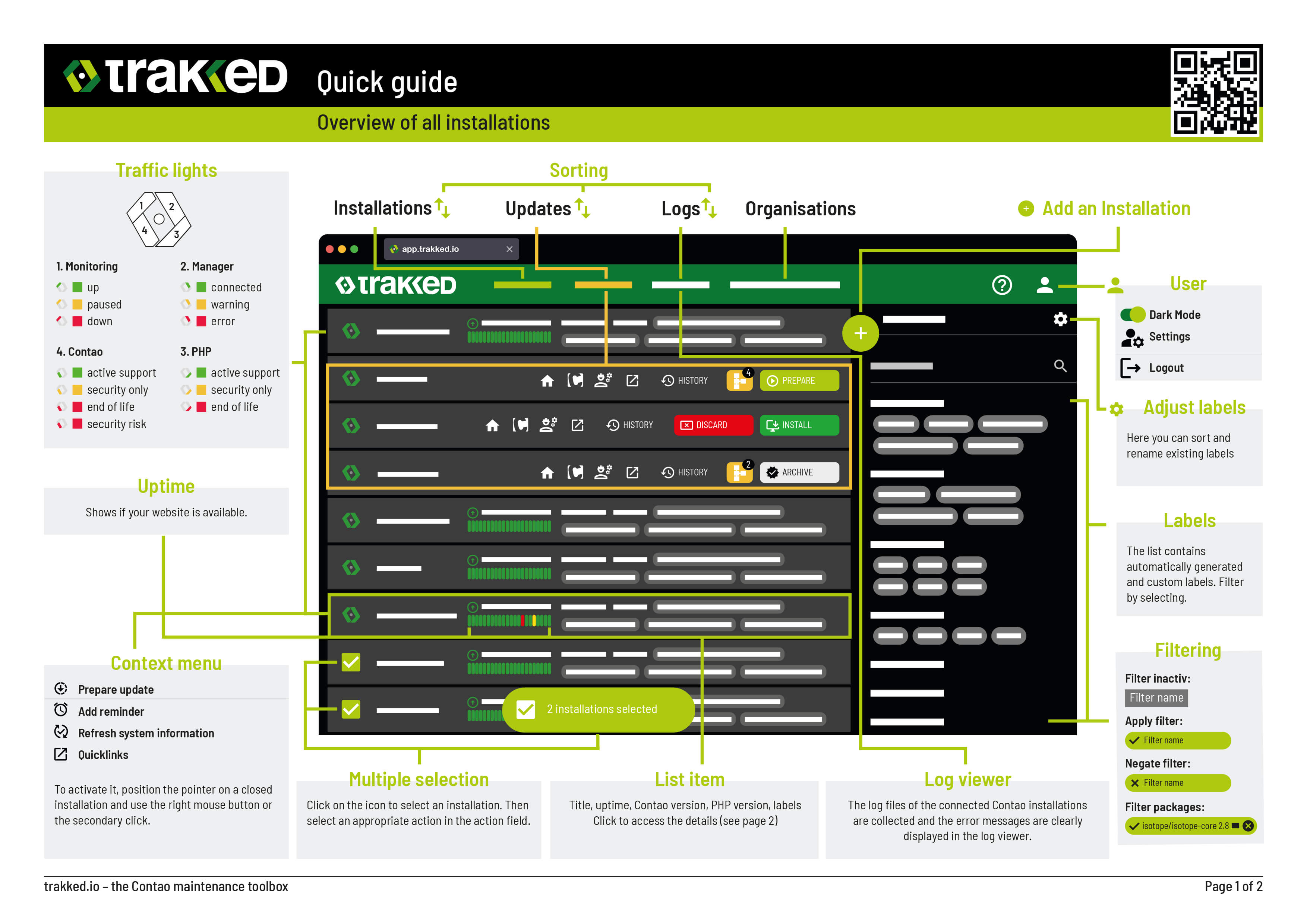
We have updated our trakked cheat sheet and added the new keyboard shortcuts and functions. Download it as usual via the app or directly here.
Merry Christmas
We wish you happy holidays and all the best for the new year 2026. Thank you very much for your trust in us.
Best regards
Andy, Yanick, Alex, Bjarke & Christian




Add a comment